


Healthy Recipes Cookbook App
4.4227.00 Reviews
App Specs
- Version
- 36.1.0
- Updated On
- License
- Free
- Downloads
- 1,000,000+
- Developer
- Prometheus Interactive LLC
- Categories
- Food & Drink
- Platform
- Android
Screenshots
 Analysis by AppCompare
When a recipe app becomes part of a busy week, the hard part is rarely finding something that sounds good. It is making sure the recipe fits what is already in the fridge, the time available, and the people who will eat it. That is the lens I use for Healthy Recipes Cookbook App: not as a replacement for kitchen judgment, but as a place to find ideas and turn them into a manageable meal.
Where recipe browsing can get stuck
Healthy recipes can mean very different things to different people. One cook may be looking for lighter dinners, another for plant-based meals, and someone else may simply want a filling lunch that does not take much effort. A category or dietary filter can narrow the search, but it cannot make every result suit your exact taste, budget, or pantry. I treat the first promising result as a candidate, then check its ingredients and steps before committing to it.
That small pause matters most when a recipe depends on an ingredient I rarely buy. Before putting a dish on my plan, I look at the full ingredient list and ask whether I can use the rest of that item elsewhere in the week. It is an easy way to avoid choosing an attractive recipe that leads to an expensive one-off purchase or an ingredient left unused.
Simple checks before you start cooking
The app is free to download, though it includes in-app purchases ranging from $0.99 to $99.99 per item. I would check which parts are available to me before building an entire routine around any paid option. The listing shows a 4.4 average from around 6.9K ratings, and more than 1M installs, so it has reached a sizeable audience; that is useful context, but it does not tell me whether an individual recipe fits my kitchen.
For a smoother first session, I would start with one meal rather than trying to plan a whole week immediately. Search for a dish I already know how to cook, compare the ingredient list with what I have, and then try one unfamiliar recipe. This makes it easier to tell whether the instructions and recipe style suit me without creating a long shopping list before I know how I will use the app.
Healthy Recipes Cookbook App is a Food & Drink app from Prometheus Interactive LLC. It is free, rated for Everyone, and its current version is 36.1.0, with Android 8.0 as the minimum operating-system requirement. It was released on September 17, 2014. Those details make it easier to check basic compatibility and suitability, while the real test is still whether the recipes match your preferences and cooking habits.
Recovering when a plan goes off course
If I cannot find a recipe that fits, I change one search condition at a time rather than starting over. I might broaden the dish type, remove a dietary restriction that is not essential for that meal, or search for the main ingredient I need to use up. That keeps the search focused and helps me spot whether the problem is too narrow a query or simply a mismatch between my ingredients and the available ideas.
Worth Reading Before You Choose

EA SPORTS FC Mobile 26 Is a Bigger Football Game, but It Takes Time

Flipboard Shows What News Apps Must Do Beyond the Feed

Switching to Android Auto Means Rethinking Your Driving Routine

Google Calendar Makes a Crowded Week Easier to Manage

Ludo King Makes the Most of the Minutes Between Plans

Baby Panda World Brings Quick Play to Modern Phones, but Its Game Library Feels Busy
For meal planning, I would also keep a simple backup meal in mind. A plan built entirely from new recipes can become fragile when a workday runs late or an ingredient is missing. I find it more practical to choose a couple of recipes that share ingredients, then leave room for an easy meal I already know. A shopping list can support that plan, but it still needs a quick check against what is actually in the kitchen.
When the app may not be the problem
A recipe that takes longer than expected is not necessarily a sign that the instructions are unclear. Chopping speed, cookware, ingredient size, and how familiar I am with a technique all affect the result. I read the method through before turning on the stove, set out the ingredients, and note any step that needs more time or equipment than I have. That is especially helpful when cooking for guests or trying a dish after a long day.
Likewise, nutritional figures are best treated as useful guidance rather than a guarantee that a meal will meet a personal target. Portions and ingredient substitutions can change what ends up on the plate. If I have a strict dietary or medical requirement, I check every ingredient and make decisions using advice appropriate to that need instead of relying on a general recipe label alone.
Who will get the most from it?
I think this app is most useful for people who want a steady stream of healthy meal ideas and are comfortable making small decisions themselves. A beginner can use a recipe as a guide, while an experienced home cook may use the categories or search to break out of a familiar rotation. It is also a reasonable fit for someone who wants to try a different style of meal without committing to a dedicated diet program.
It is less suited to cooks who need a tightly controlled meal plan, precise nutrition tracking, or a guaranteed match for a specific allergy. In those cases, a specialist service or a personally checked collection of recipes may be a better starting point. The same goes for anyone who wants every recipe to use only ingredients already on hand: browsing can inspire, but it cannot remove the need to shop or adapt.
Compared with a general web search, a cookbook app can make browsing feel more organized because recipes are gathered in one place and can be explored by topic. Compared with a dedicated meal-planning service, this app’s appeal is its recipe-first approach, while a specialized planner may offer a more structured routine for people who want tighter control. I would choose based on whether the main need is inspiration or a detailed system.
Getting Started with the App
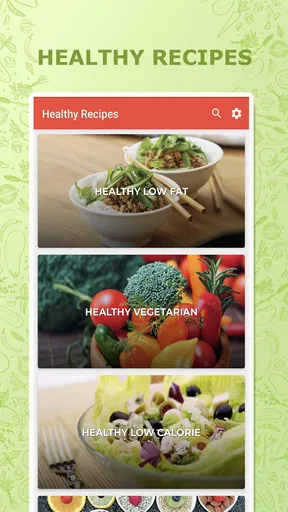
First things first, downloading the Healthy Recipes Cookbook App was a breeze. Available on both Android and iOS, it’s just a quick click away from transforming your meal planning. Once installed, I was greeted with a clean, user-friendly interface that made navigation super intuitive. No need to be a tech wizard here!
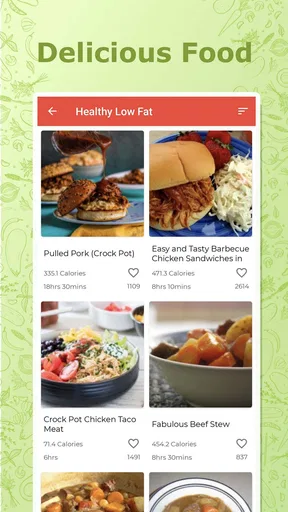
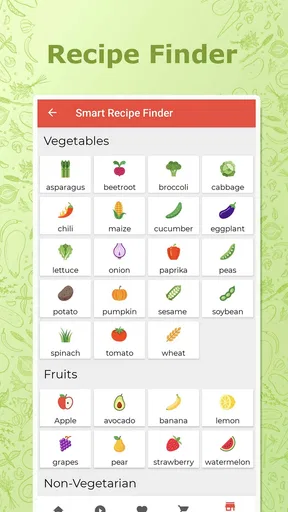
Right off the bat, you can dive into a plethora of recipes. The app is organized into categories like breakfast, lunch, dinner, and snacks, making it easy to find exactly what you’re craving. Plus, there’s a handy search bar if you’re looking for something specific, like a quinoa salad or vegan tacos.
A Closer Look at the Features
One of the standout features for me was the ability to filter recipes based on dietary preferences. Whether you're vegan, gluten-free, or just trying to cut down on carbs, there’s something here for everyone. It’s like having a personal nutritionist right in your pocket!
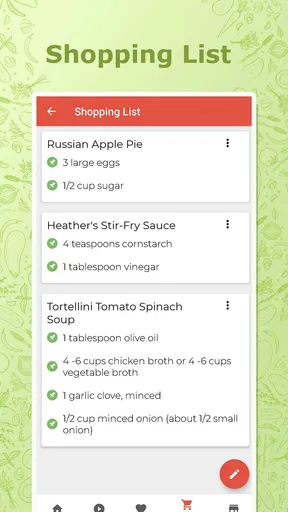
The app also offers a nifty meal planning tool. I’ve always struggled with organizing weekly meals, but with this app, I can easily plan out my week and even create a shopping list directly from the recipes. Talk about a time-saver!
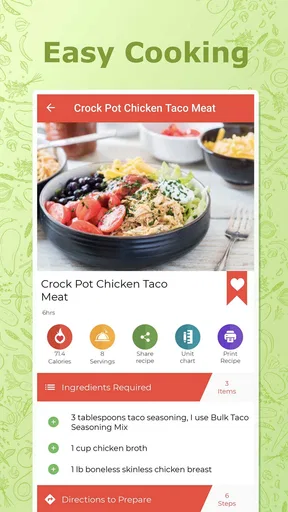
And let’s not forget about the step-by-step cooking instructions. Each recipe comes with detailed directions, complete with photos, so you’ll never feel lost. As someone who’s had their fair share of kitchen disasters, this was a major relief.
Why I’m Loving It
Now, let’s talk about the variety. The app boasts hundreds of recipes from all around the world. Want to whip up some Mediterranean dishes? Or maybe try your hand at Thai cuisine? It’s all here. I’ve discovered so many new favorites and even impressed some friends with my newfound cooking prowess.
Another highlight is the nutritional information provided for each dish. I’m a bit of a health nut, so knowing the calorie count and macronutrient breakdown is a huge plus. It makes it so much easier to stay on track with my health goals.
Oh, and did I mention the app is free? There are some premium features available, but honestly, the free version is packed with enough content to keep you busy for a while.
Room for Improvement
Of course, no app is perfect. I did notice a few areas where Healthy Recipes Cookbook App could improve. For instance, while the app is generally smooth, there were a few times it lagged a bit, especially when loading new recipes. Not a deal-breaker, but something to be aware of.
Additionally, while the variety is impressive, I’d love to see more updates with seasonal recipes. There’s something special about cooking with fresh, in-season ingredients, and it would be great to have more options in that department.
Final Thoughts
All in all, the Healthy Recipes Cookbook App is a fantastic tool for anyone looking to elevate their cooking game while keeping it healthy. It’s easy to use, packed with delicious recipes, and offers features that genuinely make life easier. Whether you’re a seasoned chef or a kitchen newbie, this app is definitely worth checking out.
So, if you’re ready to embark on a culinary adventure, give this app a download and start exploring. Your taste buds and your body will thank you!
A realistic weeknight test
Picture getting home with a few vegetables, a can of beans, and little energy to improvise. I would search for one of those ingredients, shortlist a recipe that uses several items already in the kitchen, and read the directions before deciding. If it calls for a specialty ingredient or a longer preparation than the evening allows, I would save the idea for another day and choose a simpler option. The useful part is not that the app makes dinner automatically; it gives me a way to move from a vague craving to a concrete choice.
For a household with different tastes, I would use the same approach in reverse: find a flexible base meal, then make sides or toppings suit each person. That is often more realistic than searching for a single recipe that satisfies every preference. I would still verify ingredients for anyone avoiding a food, since a dietary category is a discovery aid, not a substitute for reading the recipe carefully.
Small habits that make the tools more useful
The meal planner and shopping list are most helpful when I treat them as a draft, not an unquestionable plan. After adding recipes, I would combine overlapping ingredients mentally, remove items already at home, and check quantities before shopping. This avoids buying duplicates and makes a plan feel practical rather than aspirational. If plans change midweek, I would move the easiest recipe forward and leave the more involved one for a day with more time.
I would also avoid choosing every meal from a different cuisine or relying on a new technique each night. Variety is appealing, but too many unfamiliar recipes can make cooking feel like homework. A useful rhythm is to mix one new dish with familiar meals, then keep track of which recipes were worth repeating in whatever way suits you. That turns browsing into a gradual improvement in your routine instead of a stack of plans you never cook.
What to expect from the experience
The interface and recipe presentation described here make the app approachable, but a large recipe collection can still require patience. Search results may need a little sifting, and a photo cannot tell me whether a dish will be quick, affordable, or suited to my equipment. I read the directions and ingredients before shopping, and I do not assume that a healthy label means the recipe matches a particular nutrition goal.
If a page seems slow to load, I would first give it a moment and check whether the device has a working connection, then close and reopen the app if the delay continues. If a recipe or planning step is confusing, I would back out and try a simpler search rather than repeatedly tapping through the same screen. These are ordinary first checks, not guarantees; persistent trouble may call for checking the app’s current support information or trying again later.
My practical verdict
My recommendation is to try it as a source of ideas and a light planning aid, especially if healthy cooking feels repetitive and you want prompts for what to make next. Its filters, meal-planning tools, shopping-list option, cooking directions, and nutrition details give it more practical use than a bare collection of recipe titles. The strongest results will come when I bring realistic expectations: verify ingredients, account for my own schedule, and adjust the plan to what is already in the kitchen.
I would skip it if I need a highly personalized nutrition program or an exact, medically tailored menu, and I would compare specialist tools if strict tracking is the main goal. For a casual home cook, though, it is a useful starting point rather than a kitchen authority. Since it is free to try and rated for Everyone, I can explore the available recipes first, then decide whether the experience fits my habits before spending on any optional purchase.
Pros
- Extensive variety of healthy recipes.
- User-friendly interface for easy navigation.
- Customizable meal plans available.
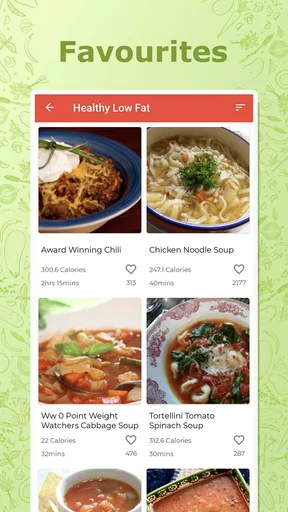
- Offline access to saved recipes.
- Regular updates with new recipes.
Cons
- Limited free content
- many features require subscription.
- Some recipes lack detailed nutritional info.
- Occasional app crashes reported by users.
- Limited support for dietary restrictions.
- No integration with grocery delivery services.
FAQs for Healthy Recipes Cookbook App
What types of recipes are available in the Healthy Recipes Cookbook App?
The Healthy Recipes Cookbook App offers a diverse selection of recipes, catering to various dietary preferences such as vegetarian, vegan, gluten-free, and keto. Users can explore categories like breakfast, lunch, dinner, snacks, and desserts, ensuring a healthy option for every meal of the day. Each recipe is designed to be nutritious and easy to follow.
Does the app provide nutritional information for each recipe?
Yes, the Healthy Recipes Cookbook App includes detailed nutritional information for every recipe. Users can view calories, macronutrients, and other essential nutritional data, helping them to make informed dietary choices and manage their health goals effectively. This feature is particularly beneficial for those tracking their dietary intake.
Can I customize or modify the recipes to suit my needs?
Absolutely! The app allows users to customize recipes according to their taste preferences and dietary restrictions. You can adjust ingredient quantities, swap ingredients, and even save your modified recipes for future use. This flexibility ensures that the app caters to individual dietary needs and personal tastes.
Is the Healthy Recipes Cookbook App user-friendly for beginners?
Yes, the app is designed with a user-friendly interface that is accessible to beginners. Each recipe includes step-by-step instructions, photos, and tips to guide users through the cooking process. Additionally, the app offers cooking tutorials and tips for those who are new to healthy cooking.
Does the app require an internet connection to access recipes?
While an internet connection is required to initially download the app and any updates, the Healthy Recipes Cookbook App allows users to save recipes for offline access. This means you can view your favorite recipes without needing an internet connection, making it convenient for cooking in any location.


